Text & chat prompt
Write a LinkedIn headline that gets noticed
Write a LinkedIn headline that gets noticed: a free, copy-paste prompt for ChatGPT, Gemini and Claude. Paste the prompt and replace each [BRACKETED] field with your own details.
The prompt
Write 10 LinkedIn headlines for me (max 220 characters each).

Current role: [ROLE]
Target role or audience: [WHO I WANT TO REACH]
Top skills: [SKILLS]
Proof: [ACHIEVEMENT]

Mix formats: value statement, role + specialty + result, and keyword-rich. Avoid "passionate" and "guru". Put the most searchable keywords first.
Pro tip: Recruiters search headlines, so include the exact job title you want.
How to use this prompt
- Open ChatGPT and start a new chat.
- Paste the prompt.
- Replace each [BRACKETED] field with your real details and paste in your own text where asked.
- Reply with follow-ups such as "make it shorter" or "make it sound more like me".
Prompt at a glance
- Category
- Text & chat
- Works with
- ChatGPT · Gemini · Claude
- Length
- 48 words
- Fields to fill in
- ROLE, WHO I WANT TO REACH, SKILLS, ACHIEVEMENT
- Last updated
Frequently asked questions
Which AI tools work with this prompt?
It is written for ChatGPT, Gemini and Claude. Paste it into your preferred tool and adjust the wording if the result is off.
What do I need to fill in?
Replace these fields before you send it: ROLE, WHO I WANT TO REACH, SKILLS, ACHIEVEMENT. Each field shows an example in the prompt.
Should I paste private information into the prompt?
Only what the task needs. Remove names, contact details and other sensitive data before pasting a resume or document into any AI tool.
More chat & writing prompts
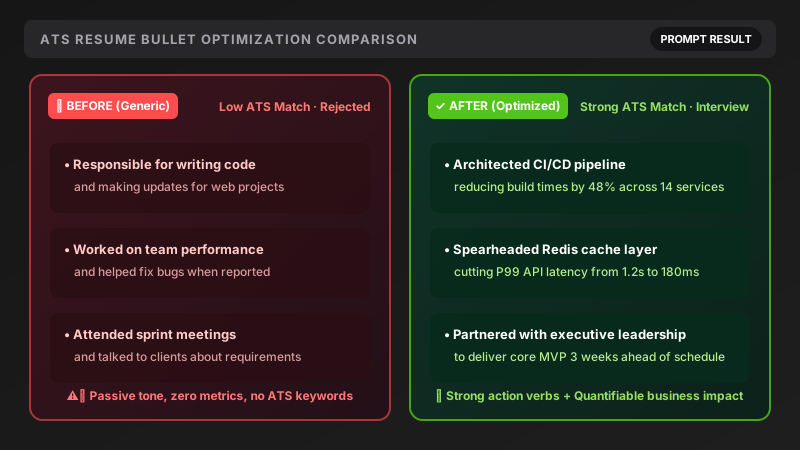 Text & chat · TrendingRewrite resume points (ATS-friendly)ChatGPT · Gemini · Claude
Text & chat · TrendingMock interview practice (one question at a time)ChatGPT · Gemini · Claude
Text & chat · TrendingResearch a company before your interviewChatGPT · Gemini · Claude
Text & chat · TrendingViral Reel / Shorts script with a hookChatGPT · Gemini · Claude
Text & chat · TrendingRewrite resume points (ATS-friendly)ChatGPT · Gemini · Claude
Text & chat · TrendingMock interview practice (one question at a time)ChatGPT · Gemini · Claude
Text & chat · TrendingResearch a company before your interviewChatGPT · Gemini · Claude
Text & chat · TrendingViral Reel / Shorts script with a hookChatGPT · Gemini · Claude