Video prompt · Trending
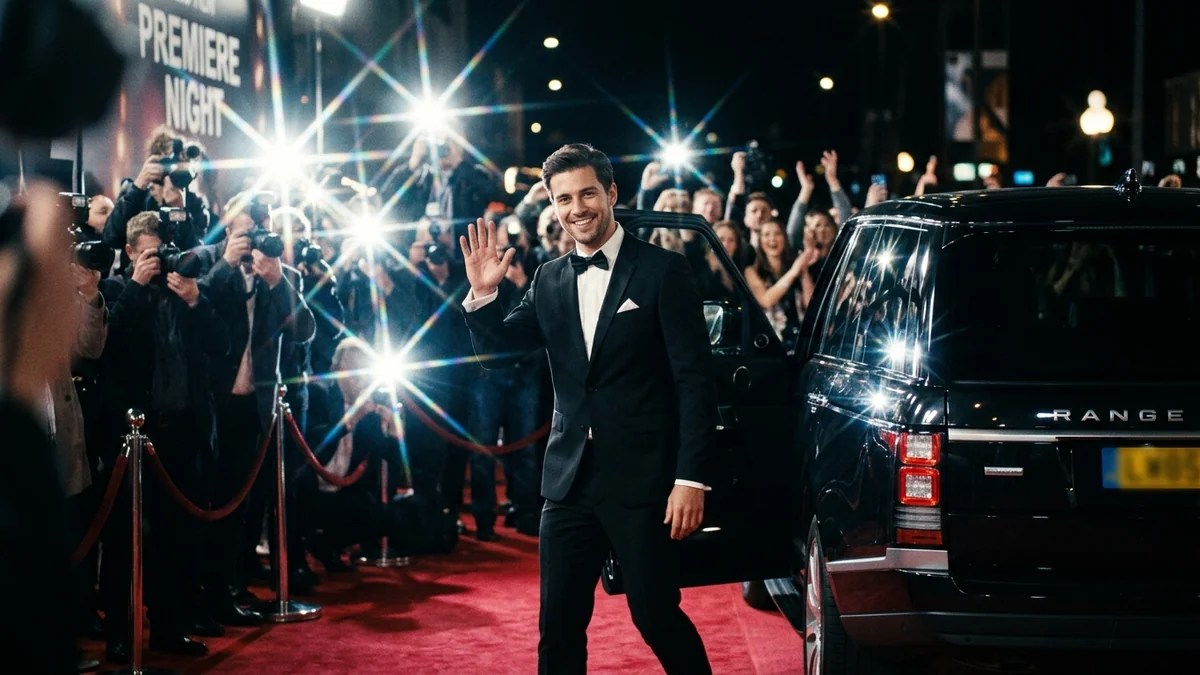
Red carpet paparazzi entrance
Red carpet paparazzi entrance: a free, copy-paste prompt for Seedance and Veo. Paste the prompt and fill in any [BRACKETED] fields to generate your clip.
The prompt
Night red-carpet arrival: [SUBJECT, e.g. me in a black tuxedo] steps out of a black SUV onto the red carpet as a wall of photographers fires camera flashes.

A confident walk toward the camera with a slight smile and a wave; velvet ropes and a premiere backdrop reading "[EVENT NAME]" behind.

Rapid flash strobes, shallow depth of field, a cheering crowd and camera shutter sounds. Vertical 9:16, 8 seconds.
Pro tip: Use a full-body photo of yourself so the outfit stays consistent in the video.
How to use this prompt
- Open Seedance.
- Paste the prompt and fill in the [BRACKETED] fields. Add a starting image if the tool supports it.
- Set the aspect ratio and length in the tool.
- Generate two or three takes and adjust one detail at a time.
Prompt at a glance
- Category
- Video
- Works with
- Seedance 2.0 · Veo 3.1
- Length
- 69 words
- Fields to fill in
- SUBJECT, EVENT NAME
- Last updated
Frequently asked questions
Which AI tools work with this prompt?
It is written for Seedance and Veo. Paste it into your preferred tool and adjust the wording if the result is off.
What do I need to fill in?
Replace these fields before you send it: SUBJECT, EVENT NAME. Each field shows an example in the prompt.
Why does the result differ between video models?
Each model interprets camera moves, motion and audio differently. Keep the prompt, regenerate a few times and change one detail at a time.