Text & chat prompt
Build a 45-minute lesson plan
Build a 45-minute lesson plan: a free, copy-paste prompt for ChatGPT, Gemini and Claude. Paste the prompt and replace each [BRACKETED] field with your own details.
The prompt
Create a 45-minute lesson plan.

Subject and topic: [SUBJECT AND TOPIC]
Age or level: [AGE OR GRADE]
Learning objective: [OBJECTIVE]
Resources available: [RESOURCES]

Include a hook, a short direct explanation, guided practice, independent practice, a quick check for understanding and a closing exit question. Give timings for each part and one extension task for fast finishers.
Pro tip: Ask for a version for mixed-ability groups if your class has a wide range of levels.
How to use this prompt
- Open ChatGPT and start a new chat.
- Paste the prompt.
- Replace each [BRACKETED] field with your real details and paste in your own text where asked.
- Reply with follow-ups such as "make it shorter" or "make it sound more like me".
Prompt at a glance
- Category
- Text & chat
- Works with
- ChatGPT · Gemini · Claude
- Length
- 56 words
- Fields to fill in
- SUBJECT AND TOPIC, AGE OR GRADE, OBJECTIVE, RESOURCES
- Last updated
Frequently asked questions
Which AI tools work with this prompt?
It is written for ChatGPT, Gemini and Claude. Paste it into your preferred tool and adjust the wording if the result is off.
What do I need to fill in?
Replace these fields before you send it: SUBJECT AND TOPIC, AGE OR GRADE, OBJECTIVE, RESOURCES. Each field shows an example in the prompt.
Should I paste private information into the prompt?
Only what the task needs. Remove names, contact details and other sensitive data before pasting a resume or document into any AI tool.
More chat & writing prompts
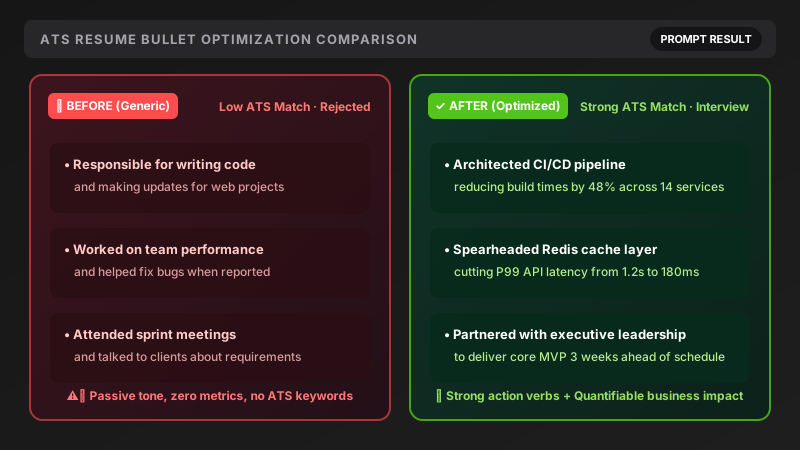 Text & chat · TrendingRewrite resume points (ATS-friendly)ChatGPT · Gemini · Claude
Text & chat · TrendingMock interview practice (one question at a time)ChatGPT · Gemini · Claude
Text & chat · TrendingResearch a company before your interviewChatGPT · Gemini · Claude
Text & chat · TrendingViral Reel / Shorts script with a hookChatGPT · Gemini · Claude
Text & chat · TrendingRewrite resume points (ATS-friendly)ChatGPT · Gemini · Claude
Text & chat · TrendingMock interview practice (one question at a time)ChatGPT · Gemini · Claude
Text & chat · TrendingResearch a company before your interviewChatGPT · Gemini · Claude
Text & chat · TrendingViral Reel / Shorts script with a hookChatGPT · Gemini · Claude